← Back to Course Topics
Day 2 – Digital Modeling for Fabrication
After Class Activities
Activity 1
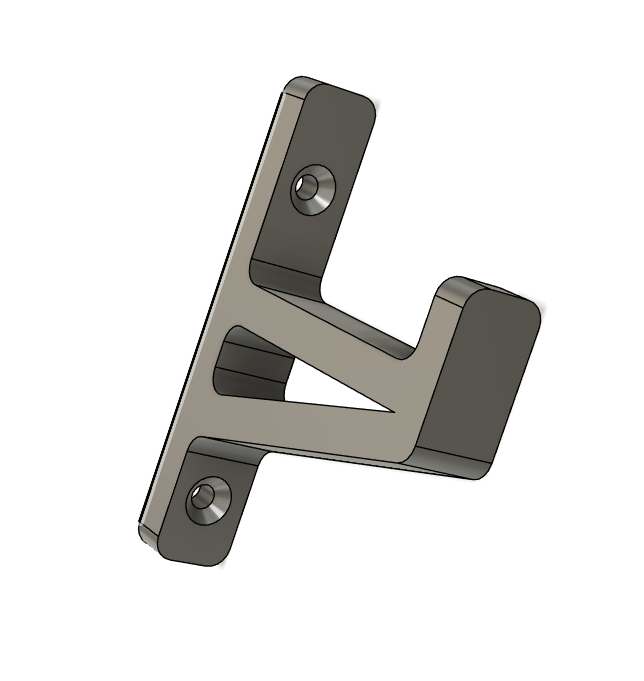
FreeCAD Model
L-Shaped Mounting Bracket (3D)
What students should recognize from the images:
- An L-shaped solid part
- Two flat faces at 90°
- Two round holes for screws/bolts
- Simple geometry (no complex curves)
- Clean edges with one rounded (filleted) corner
Example: L-Shaped Mounting Bracket (3D Model)
👉 This is the exact type of object they will recreate in FreeCAD, using:
- Sketch → Create the 2D profile
- Pad → Extrude to create 3D volume
- Hole → Create the two round holes
- Fillet → Round the corner
Activity 2
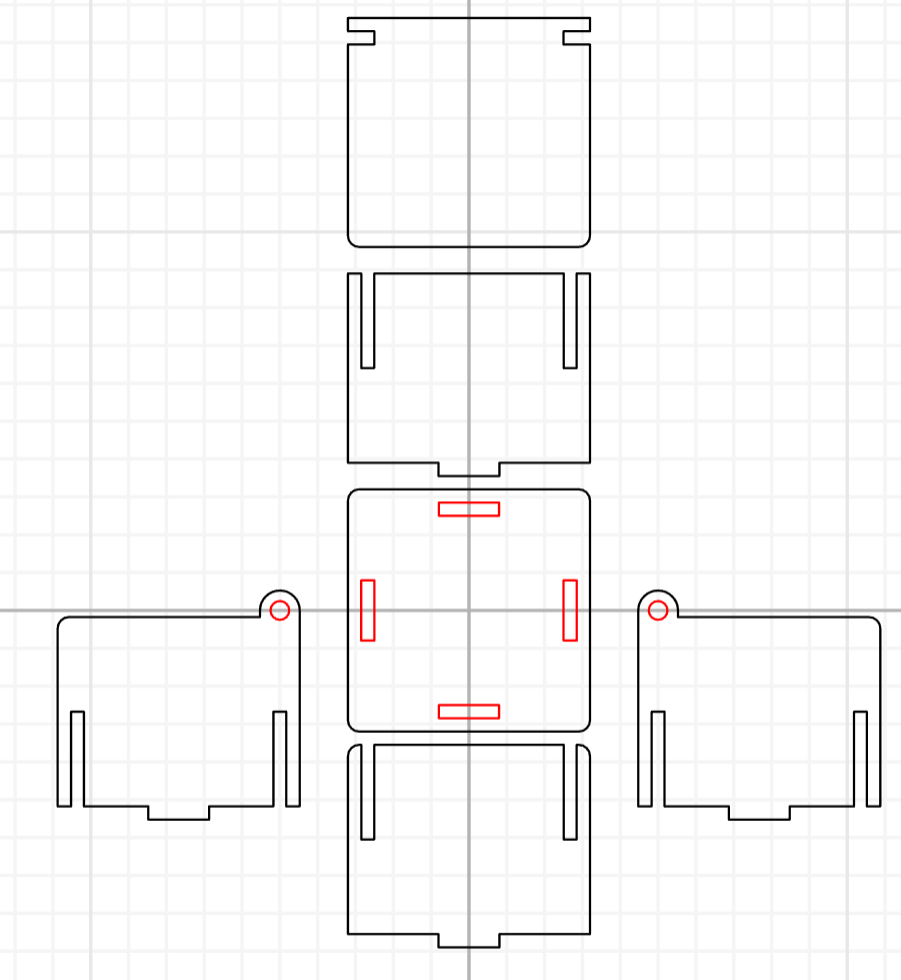
Inkscape Model
Press-Fit Box Panel (2D Vector)
What students should recognize from the images:
- A flat rectangular panel
- Rectangular slots cut into the edges
- Slots sized to match material thickness
- Designed to slide and lock with other panels
- Entirely 2D vector geometry
Example: Press-Fit Box Panel (2D Vector Design)
👉 This is the exact style of design they will create in Inkscape, focusing on:
- 1:1 scale – Accurate real-world dimensions
- Clean paths – Precise vector geometry
- Slot accuracy – Proper sizing for press-fit assembly